
BUYING ON ALLSTARBIDS
SELLING ON ALLSTARBIDS
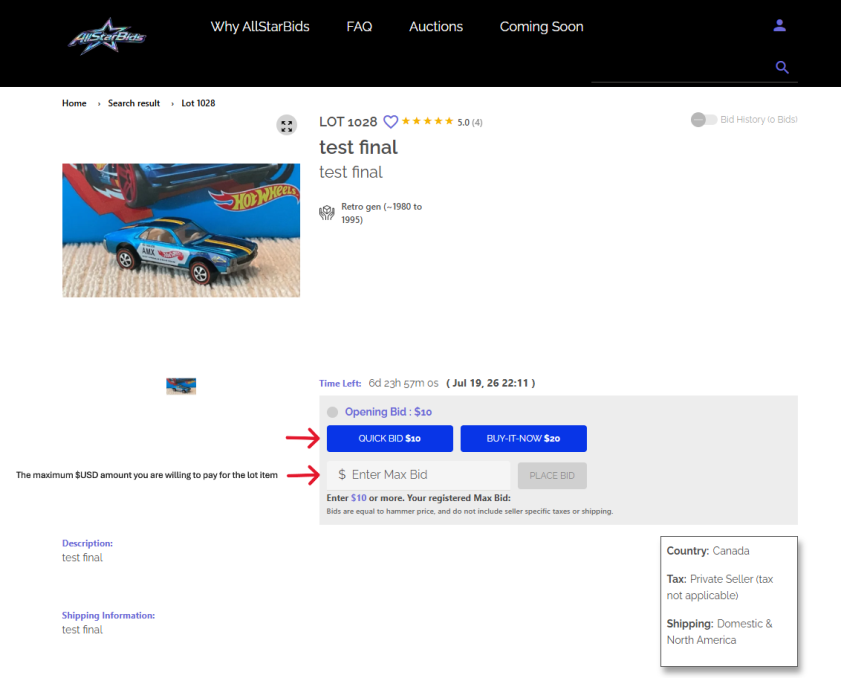
Complete in 4 quick and easy steps! Create a FREE account, sign in and navigate to the upper right hand portion of the screen. Here you will find your User Portal which includes your Profile information, Seller Portal and inventory management.
While in your User Portal, review your Profile and ensure your contact, shipping and payment information is accurate and accept the Terms and Conditions before selling.
Please also review the following links:
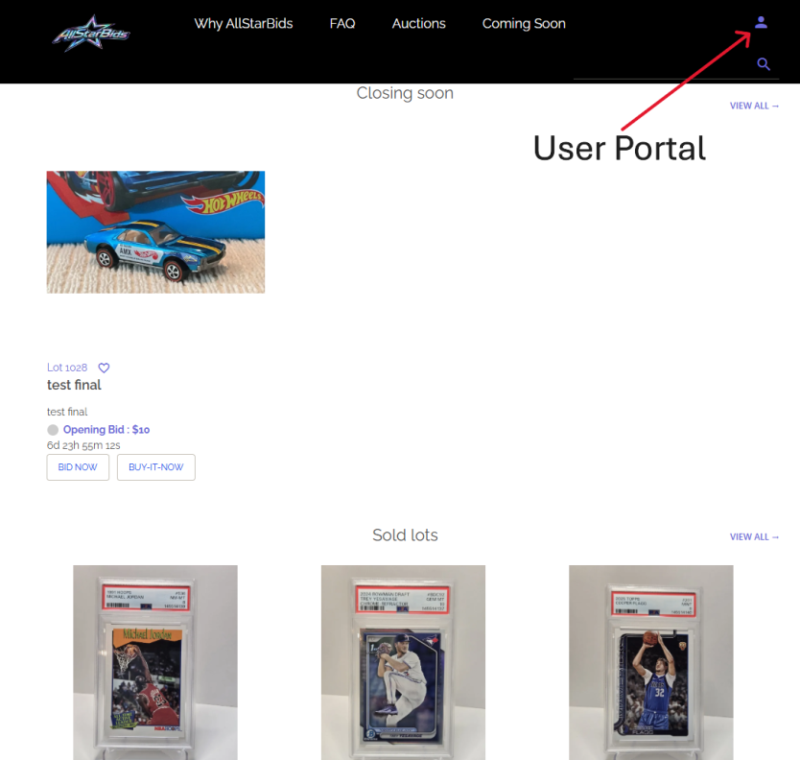
Step 1 – Once signed in, navigate to the upper right hand portion of the screen, and then click on the purple “character” profile symbol to enter your secure User Portal.
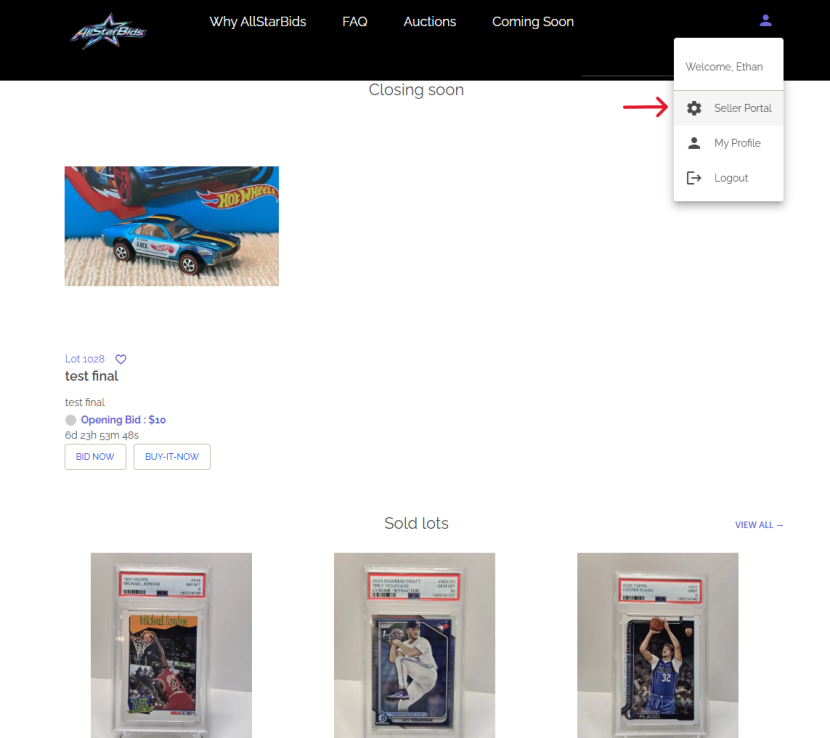
Step 2 – The drop down menu will appear, click on Seller Portal
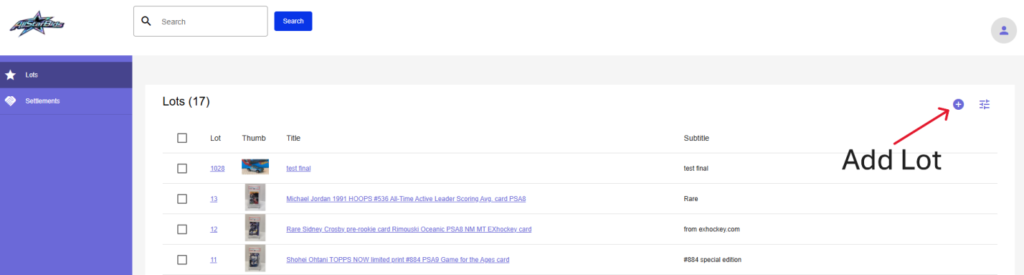
Step 3 – You are now inside your Seller Portal, head to the top right portion of the screen and click on the “+” symbol to add a new lot item. In addition, here you will see any current lot items you have already added into your inventory. These items can be sorted with the “Filter” button located next to the “Add Lot” button.
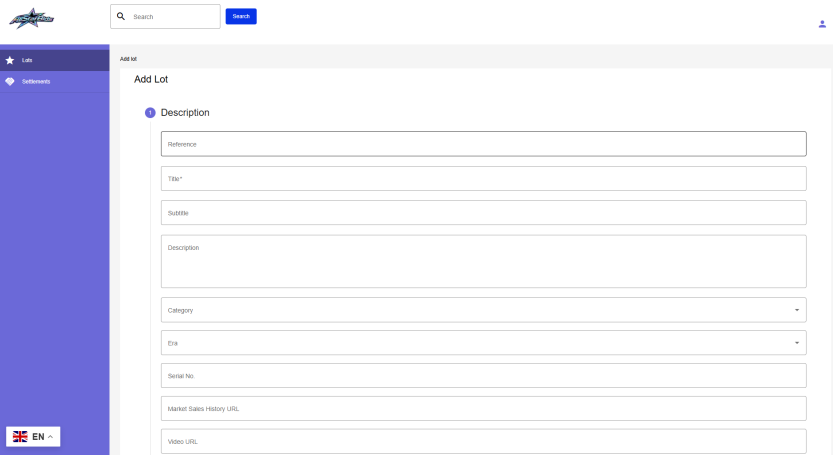
Step 4 – This will bring you to the following Add Lot screen. Here you can begin entering the details of your lot item. See our user guide below for more detailed information regarding posting your item.
CREATING YOUR LISTING
Below is a video and text-based user guide explaining each section of our lot item posting procedure.
• Reference (Optional): This is a private reference for your own personal use, for tracking purposes. This information will not be visible to buyers.
○ Example: “Box 2 – Item 5”
• Title: The main item description; ensure it includes the most important basic information about your item lot listing with good keywords.
○ Example: “1999 Pokémon Charizard Holo PSA 8”
• Subtitle (Optional): Extra room to add a few extra details or specifics about your item, to differentiate it from other similar items in the auction.
○ Example: “1st Edition • Professionally Graded”
• Description: The main text body/area of your item description that will appear during the auction. Please include as much information and detail as possible to provide bidders with a clear and honest description of your item.
• Category: Select the main category for your lot item for sale. Please ensure you select the most appropriate category for proper indexing and bidder searches.
• Era: Select the era or period most relevant to your item.
• Auction Length: Set the amount of time in days you wish your auction to run for (this can be changed while your auction is live).
• Video URL (Optional): Post a YouTube video link showing your item. Please ensure it is appropriate for the item being sold and matches the exact item being shipped to the winning bidder.
To copy a YouTube link:
1. Open the video on YouTube
2. Click Share
3. Copy the provided URL
4. Click the “Share” button under the video
• Country: Select the country the item is being sold/shipped from.
• Tax: Choose the correct tax-related selection depending on your seller type and location.
• Shipping: Select where you want to ship your item. Selecting “domestic only” will only allow buyers from your same home country to view and bid on/buy your item(s); therefore, you only sell and ship within your own country. Selecting the other options will allow buyers from your home country, North America, and/or worldwide to bid on/buy your item(s). It is recommended that sellers be up-front and transparent about shipping costs when posting their item(s) for sale. You may mention in your auction sale that shipping costs may vary depending on the winning bidder/buyers location, and will be quoted post-auction.
○ domestic only
○ domestic and North America
○ domestic and International
• Shipping Information: Enter all shipping options, estimated costs, and any additional international shipping details for potential bidders.
• Reserve Price: Enter your reserve price here. This is the confidential minimum amount you are willing to accept for your item. If bidding does not reach the reserve price, the item will not sell.
• Starting Bid: The price where bidding will begin. Enter the price at which you want your lot item to start. AllStarBids has a $10 USD minimum value starting price point.
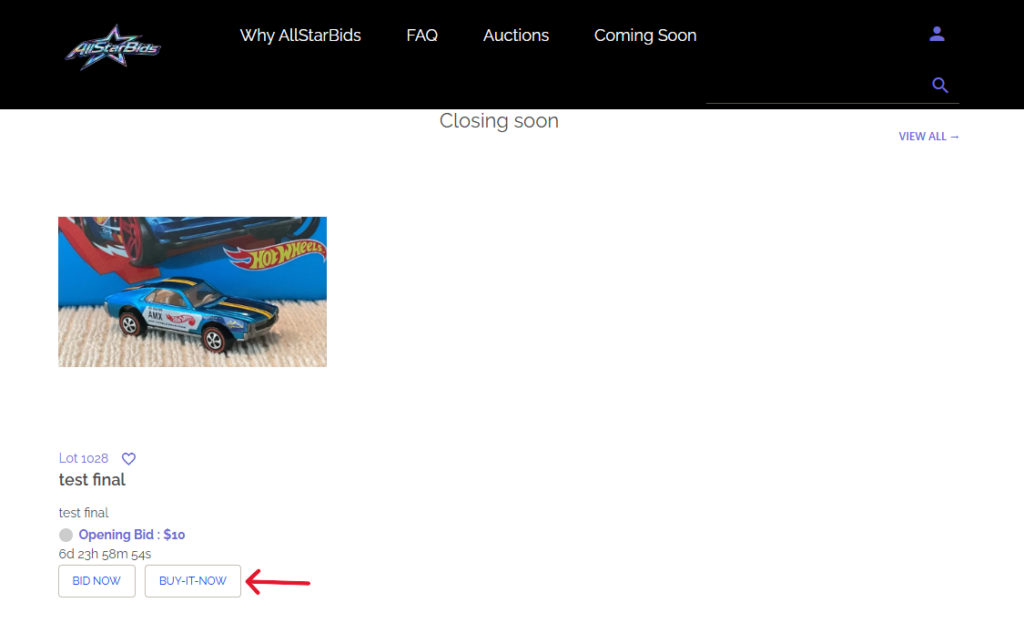
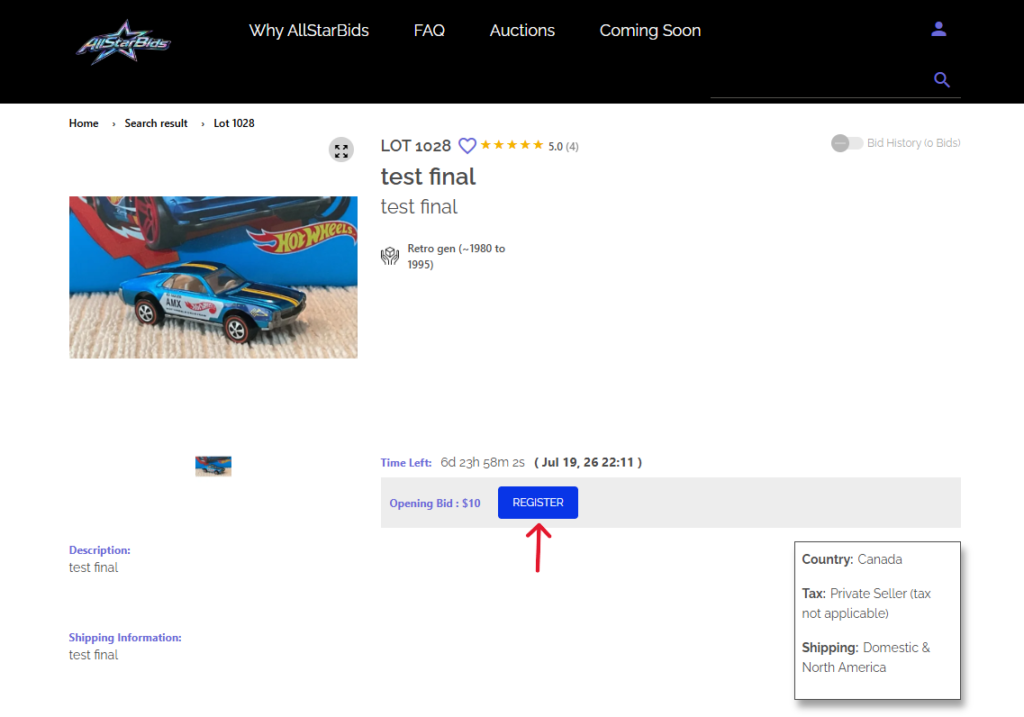
• Buy It Now (Optional): The Buy It Now option allows buyers to instantly purchase the item at a fixed price while the auction is still active. Your item will still remain part of the auction and continue accepting bids unless the Buy It Now option is used. Once bidding reaches the Buy It Now value, the Buy It Now option will automatically disappear, and the auction will continue normally. If a winning bidder (buyer) uses this option, you will both be sent a settlement invoice right away to complete the transaction outside of AllStarBids.
• Tax Rule: This is a single selection that must be selected by any/all sellers, for any auction.
• Uploading Images: You may drag and drop or click “Browse Files” to upload your images. Upload at least one (1) clear, well-lit photo of the entire item. Multiple photos are strongly recommended, especially close-up photos to show improved details of the item (if required). Poor-quality, improper, or inappropriate images may require correction before approval. Review our “How to Sell” section to understand image terms for the auction lot item(s). Once you have uploaded all photos, click “Continue”. Then click “Save,” and your auction listing will be reviewed before going live. AllStarBids will contact you if any changes need to be made.
• Uploading Documents: You may upload any type of documentation here related to your lot item for sale, for instance a certification document or certificate of authenticity.
• Scheduling: You may schedule your auction to begin and end at any time. You do have the option to change the end date and time of your auction after listing. Once you have listed any item, you may not cancel the listing. Please e-mail support@allstarbids.com for any extenuating circumstances.
AFTER A SUCCESSFUL SALE
Please review our Settlement Agreement to understand how ASB’s marketplace operations commission portion works (ie., “deposit”), in addition to our split-settlement model payment structure. Upon auction completion and successful deposit has been taken, a settlement agreement is issued to both parties. Buyers must pay within 72 hours unless otherwise agreed upon. Sellers must ship within 72 hours of payment using tracked shipping and provide tracking information.
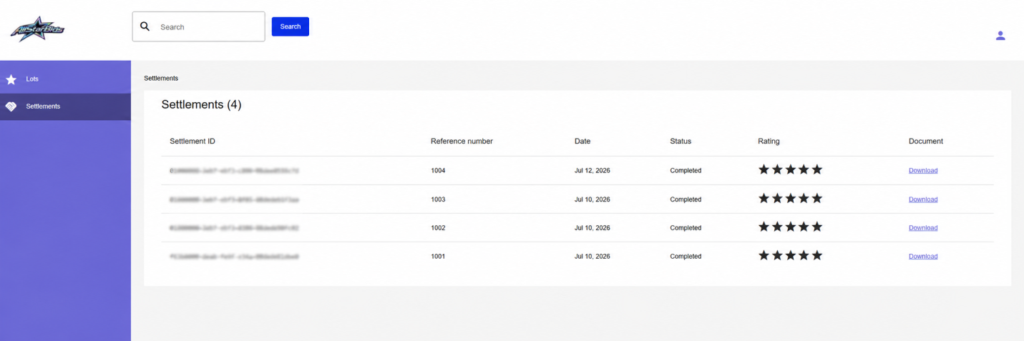
Below is a sample screen displaying the Settlements section that both the buyer and seller will see in their respective User Portals. Users will find details regarding current and completed transactions, in addition to having the ability to download a copy of the Settlement Statement itself.
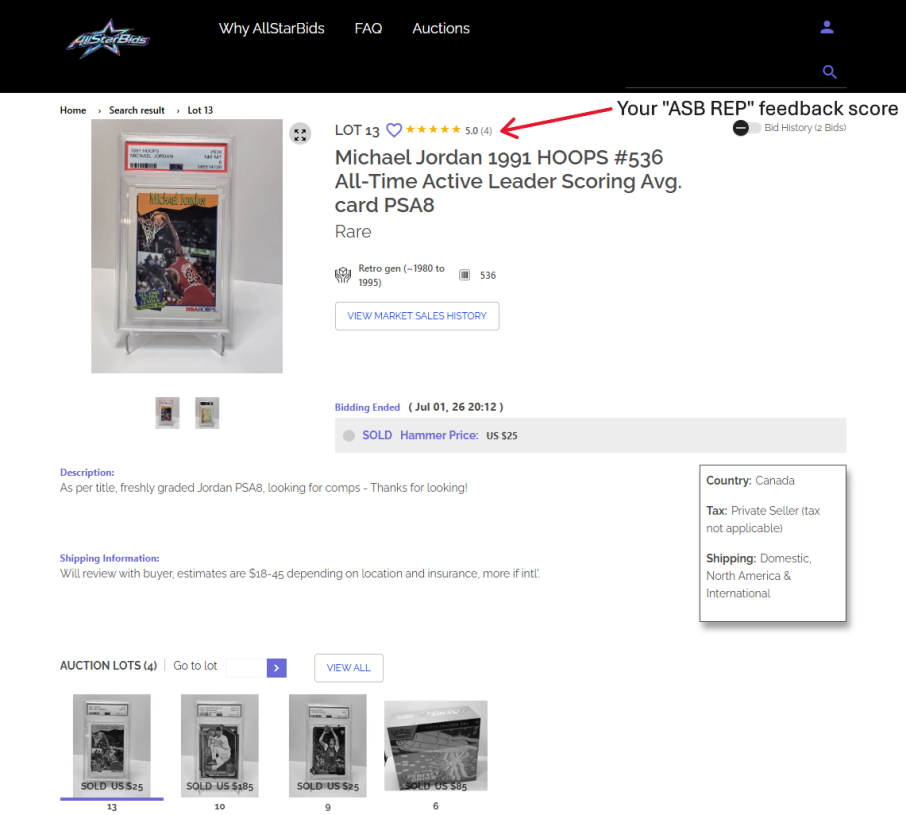
Also shown is the “ASB REP” feedback that you have given the transaction, given to your buy/sell interaction with the other party.
SELLER FEES
A 9.5% seller fee applies only after a successful sale (billed to the buyer, taken from the final hammer sale price of the item as a deposit). There are no listing fees, no buyer fees and relisting is free.
PAYMENT & SHIPPING
After AllStarBids has successfully collected the deposit, the remaining balance due payment is made directly to the seller using the seller’s approved payment methods. Shipping arrangements are made directly with the seller, as per their auction terms. Buyers are responsible for applicable customs, duties, brokerage fees and taxes.
FEEDBACK
Feedback is VERY important on AllStarBids as it ensure a transparent and trusting buyer/seller community. After each completed transaction and completed shipment of the item, the buyer will received an e-mail every 5 days for up to 15 days to confirm receipt of the item. Once the buyer has confirmed they have received the item in good order, both buyer and seller are encouraged to leave honest feedback to help build a trusted marketplace. This will increase both parties “ASB REP” star score.